How To Claim Position Zero On Google

You may have seen the Google featured snippet appear in search results and have just not been aware of what exactly it is, so I wanted to take the time to not only walk through it but also give some helpful tips to help you get there.
What is a Google featured snippet and why should you care?
The point of featured snippets is to engage the user on search engine results pages (SERPs) and provide the best answer to a user’s questions. The way Google does this is that they have the ability to detect pages that can answer the user’s question (I mean, it’s Google, what can’t they do?). Google will display what they believe is the top result on page one of search results, above organic search results, in the form of either a paragraph, list, or table. The snippet will also include a link to the page, a page title, and the page’s URL.
While snippet information is often pulled from the first page of Google, that isn’t always the case, as sometimes answers can be pulled from page two, three, or even further down.
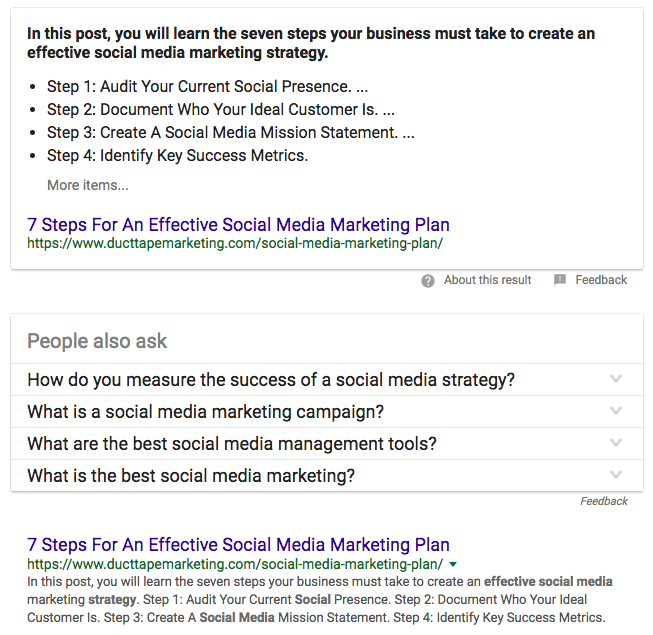
The image below is an example of what I’m talking about. When you type in “effective social media plan” into Google, the below snippet will appear and will aim to answer your question without you even having to click through to the website where the answer lives.